AI video generator for YouTube that starts from your script
JetMotion is an AI video generator for YouTube, built around one job: turning a script into a long video a viewer will sit through. Each render comes with captions, Shorts, an AI thumbnail, five title options, a description with chapters, tags and a pinned comment.
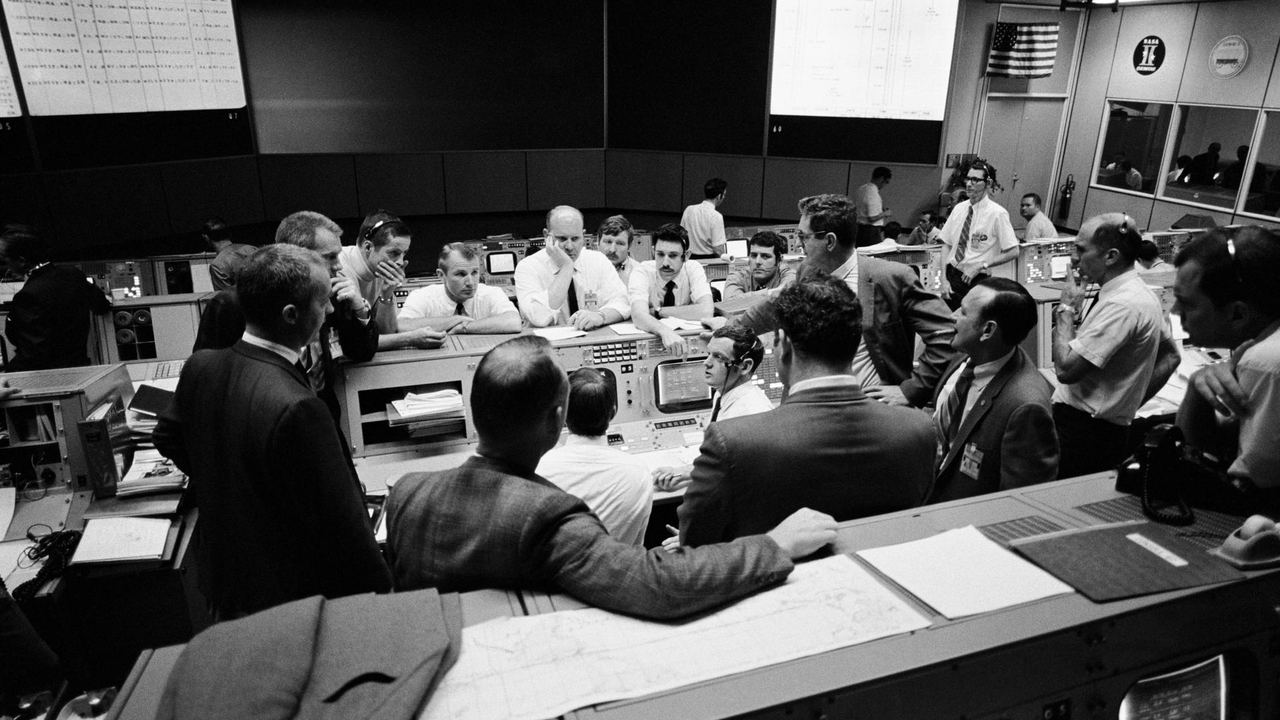
 The side of the ship is gone00:00:00 · Photo, slow pushNASA AS13-59-8562 · Public domain
 Houston, 55 hours in00:00:06 · Photo, pan leftNASA S70-35368 · Public domain
 200,000 miles from home00:00:13 · Photo + distance counterNASA AS13-60-8588 · Public domain
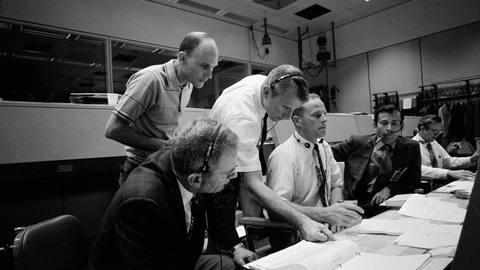 Three men, one lifeboat00:00:19 · Photo + name cardsNASA S70-34902 · Public domain
 Around the far side00:00:26 · Photo + route mapNASA AS13-60-8703 · Public domain
What sets an AI video generator for YouTube apart from a general one
A general AI video tool is built to make many kinds of video: ads, social clips, product demos, training modules. YouTube asks for something narrower and harder. A long video has to hold a stranger for ten minutes or more, and it needs a title, a thumbnail, chapters and tags before anyone sees a frame. An AI YouTube video maker should be judged on those things, and on whether the footage it uses will cause problems once the channel grows.
The upload package, item by item
Each render produces the full set of assets a YouTube upload needs. The AI thumbnail is deliberately strict: one face and 2 to 4 big words, ready to upload. The description puts the main keyword in the first line and includes chapters and sources. You pick one of the five titles and publish.
- Long video in 1080p with captions
- Shorts cut from the long video
- AI thumbnail with one face and 2 to 4 big words
- 5 title options, tags and a pinned comment
- Description with keyword first line, chapters and sources
How to pick the best AI video generator for YouTube for your channel
No single tool is best for every channel, so compare on the points that affect yours. Work out the cost per finished minute, not the headline price, because credit systems vary widely. Read the footage terms closely. Check the maximum length against your format, and check what arrives with the video besides the video. The five questions below cover most of what matters.
- Where the footage comes from and who carries the licensing risk
- Maximum video length and resolution
- Cost per finished minute at your upload schedule
- Whether you can review and change shots before the render
- Languages, voices and upload options you need
Where other tools are the better pick
As of November 2026, several tools do things JetMotion does not. GoMotion AI renders videos up to 90 minutes, supports 14 languages and has an API. InVideo AI is a general editor with generative models such as Veo and Kling. Pictory has a 14-day free trial and is built for marketing and training teams. AutoShorts makes Shorts only and posts them automatically to TikTok, YouTube and Instagram.
JetMotion is narrower. It makes narrated YouTube videos up to 25 minutes in English, from your script, using licensed stock and public-domain archives with a shot log for every video. It does not make avatars or talking heads, it does not generate AI video clips, and it has no free trial. If those limits rule it out for your channel, one of the tools above will serve you better.
Plans and who each one suits
Starter, at $29 a month or $24.65 on yearly billing, gives 120 credits, videos up to 8 minutes, the Archive documentary template and 5 free Shorts a month. It suits one channel testing a format. Studio, at $59 or $50.15 yearly, gives 360 credits, videos up to 15 minutes, all templates, 10 free Shorts, priority queue, scheduled delivery and upload from the dashboard. Pro, at $119 or $101.15 yearly, gives 900 credits, videos up to 25 minutes, a brand kit per channel, 15 free Shorts and expressive premium voices.
What the engine has done so far
JetMotion has just opened, so there are no customer numbers to quote and none are claimed here. What exists is our own record. The engine runs our own channels with no editor, and together they have passed 10 million views, 500,000 watch hours and 100,000 subscribers. Those are our results. Your topic, your scripts and your titles will decide what happens on yours.
From script to upload in three steps
Give it a script or a voiceover
Paste the script for a YouTube video or upload narration you recorded. Choose a long-form template that fits the subject.
Approve the shots
Look over the shot plan and swap any shot before the render. Nothing is rendered until you are happy with the plan.
Publish with the package
Take the 1080p video, pick one of five titles, paste the description and tags, build the thumbnail from the brief and upload.
One credit. One finished minute
Shorts, AI thumbnail and metadata are included on every plan.
Yearly saves 15% and adds a bonus month of credits on day one
Free
Try it before you pay
- Long videos up to 5 minutes, from your own script
- 1 free animated Short, plus 1 bonus Short from your video
- A natural HD voice and the documentary template
- Made at full speed, first in the queue
- Gameplay uploads up to 10 minutes
- 1 channel analysis and 1 open niche from the library
- Edit your video for 5 hours, with 1 free re-render
- One free start per person
Starter
One channel, one proven format
- Long videos up to 8 minutes, from your own script
- Case-footage videos (bodycam, interrogation, court) from ready cases
- 5 free standalone Shorts a month, 1 bonus Short from every long video
- 6 standard voices plus 10 HD voice minutes
- 30 fast minutes a month, then free scheduled delivery
- Niche library: 10+ researched niches with proof channels
- 3 channel analyses a month: niche, audience and what works
- Save every video to your Google Drive
- Title, description, tags and an AI thumbnail (standard image model)
- Edit documentaries for 5 hours after they are ready: 7 free re-renders a month
Studio
For channels publishing every day or two
- Long videos up to 15 minutes
- Script written for you from a topic
- 10 free standalone Shorts a month, 3 bonus Shorts from every long video
- More English voices, 18 more languages in natural HD voices at the standard price, 120 HD minutes, ElevenLabs voices
- 150 fast minutes a month and a priority queue
- 25-day planner from your channel link: up to 12 videos planned and made for you
- 8 channel analyses a month: niche, audience and what works
- 1 free channel kit a month (names, logo, banner, tags); in-depth kits 12 credits
- AI thumbnail with our best image model
- Niche library: 20+ niches, full channel data and CSV export
- Schedule straight to YouTube (coming soon)
- Save every video to your Google Drive
- Edit documentaries for 12 hours after they are ready: 12 free re-renders a month
Pro
For operators running several channels
- Long videos up to 25 minutes
- Script written for you from a topic
- 15 free standalone Shorts a month, 3 bonus Shorts from every long video
- Every voice and language, 300 HD minutes
- ElevenLabs with emotion, or your own key at 1 credit a minute
- Always fast, first in the queue
- 25-day planner: up to 30 videos
- Daily Autopilot: tracks your channel and competitors and makes each upload from what takes off
- 15 channel analyses a month
- 2 free channel kits a month; in-depth kits 8 credits
- AI thumbnail with our best image model
- Niche library: unlimited, every niche with revenue estimates and CSV export
- YouTube autopilot: made, uploaded and scheduled for you (coming soon)
- Save every video to your Google Drive
- Edit documentaries for 24 hours after they are ready: 20 free re-renders a month
Your first video renders straight away on every plan. Refer a creator and earn 15% of what they pay, as credits. Need API or MCP access, or more volume? Talk to us
Questions people ask
What does JetMotion need from me to make a video?
A script or a voiceover file, and a template choice. From that it plans the shots, shows you the plan, and renders a 1080p video with captions. You also get Shorts, five title options, a description, tags, a pinned comment and an AI thumbnail.
Is there a free trial or free plan?
There is no free plan. Every new account gets a free trial of 5 credits and 1 free Short, with no card, which covers a Short and a documentary of up to 5 minutes from your own script. Paid plans start at $29 a month for Starter, or $24.65 a month billed yearly.
Will YouTube monetize videos made with an AI video generator?
YouTube judges the content, and it can refuse monetization for reused or mass-produced videos however they were made. JetMotion videos are built to meet YouTube's original-content rules: your own script, licensed or public-domain footage, and a real edit. YouTube makes the final call on every channel.
Does it make avatar or talking-head videos?
No. JetMotion makes narrated videos from footage, photographs and motion graphics. There are no avatars, no talking heads and no AI-generated video clips. If your format needs a presenter on screen, look at a tool that offers avatars, since that is outside what JetMotion is built for.
Which languages does it support?
English only at launch. Scripts, narration and captions are in English. Several other tools support more languages today, so if you publish in Spanish, Portuguese, German or another language, JetMotion is not the right choice for those channels yet, and it is better to say so here.
What does a typical video cost?
One credit is one finished minute. A 15-minute video on Studio costs about $2.50. An 8-minute video on Starter uses 8 of the plan's 120 credits, which works out to just under $2. Each plan includes free standalone Shorts every month, and extra ones cost 1 credit each from your own script, or 1.5 from just a title.
Related
Your next video is one idea away
Sign up and get 5 free credits and 1 free Short. No card needed, and your first video starts straight away.