From an idea to a video you can publish
Six stages, one render. You make two decisions: the template at the start and the shot plan before the edit.
- 01 · 00:00
Topic or script in
Paste your script, upload a voiceover file, or on Studio and Pro give a topic and have the script written for you. Pick a template. The template decides the cut rate, the graphics set and the caption style, so a true crime video and a sleep story do not come out looking the same.
You getScript split into beats, each with a duration - 02 · 00:02
Narration
Choose a voice and the narration is recorded from your script. If you uploaded your own voiceover, this step is skipped and the edit is timed to your recording word by word.
You getVoice track with word-level timing - 03 · 00:05
Shot plan
Every beat gets a visual: an archive photograph, a stock clip, a map, a chart, a name card or a document close-up. You see the full plan before anything renders and can swap any shot you do not like.
You getShot list you can edit - 04 · 00:12
Footage and licences
Clips and photographs come from stock libraries with commercial licences and from public-domain archives. Each one is written into the shot log with its source and licence as it is picked.
You getShot log with a source for every shot - 05 · 00:20
The edit
Photographs get camera moves. Numbers in your script become charts, places become maps, people get name cards, dates get a date line. Captions, music and sound design go on last, mixed under the voice.
You get1080p video with captions - 06 · 00:45
The package
Along with the long video you get Shorts cut from its strongest beats, an AI thumbnail, five title options, a description with chapters and sources, tags and a pinned comment.
You getEverything needed to publish
Times on the left are a typical 15-minute video, in minutes from the moment you submit. Most finish in under an hour.
The edit follows rules, and you can read them
These came out of running a documentary channel with no editor and watching where people left. Each template has its own version.
- Frame one
- The strongest image and a line of text are on screen before the narrator finishes the first sentence
- First minute
- 10 to 12 different visuals, so nobody is looking at one picture for long
- To minute three
- A new visual or text card every 5 to 8 seconds
- Every 60 to 90 seconds
- A new open question, so there is always a reason to keep watching
- About 40% in
- The subscribe ask, placed after the viewer has got something from the video
- Throughout
- No long stretch of plain footage without a graphic, a caption beat or a cut
You approve the shots before the render
The plan is a list, one row per beat. Change a shot, change a caption, or leave it alone and let it run.
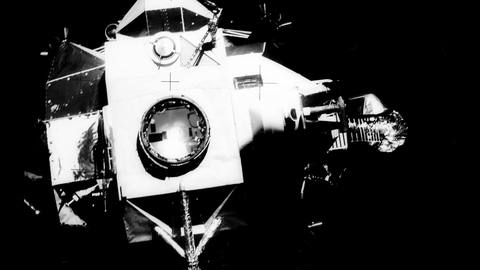
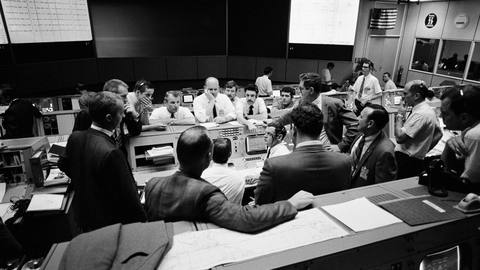
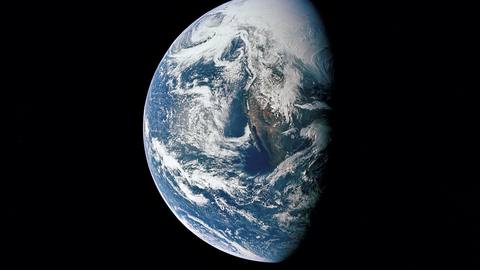
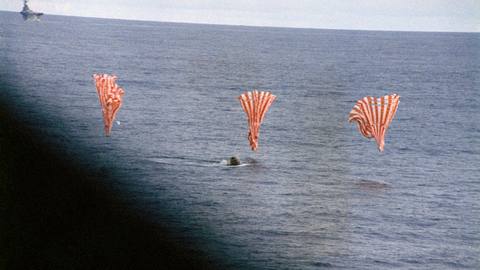
Sample rows from an Apollo 13 script. Photographs are NASA, public domain.
Your next video is one idea away
Sign up and get 5 free credits and 1 free Short. No card needed, and your first video starts straight away.